
Tagalog Spelling1.0 - App Store
You'll be able to see results in few seconds.
Publisher Description
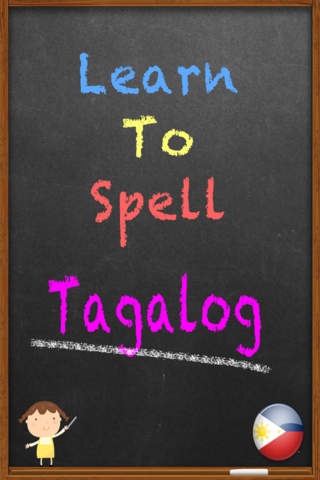
Tagalog Spelling
Tagalog is the language of the Philippines and this app will teach you how to spell and say some 300 words in Tagalog.
This is a great start for anyone who would like to learn to speak Tagalog or for a native Philippine child who needs to learn to spell.
There are two different modes, a practice mode where you can see the word for a few seconds and then you must spell it and Spell Test mode where you are asked to spell all words in that test.
Pass the spelling test to unlock other levels and see your high scores!
Additional levels can be added as and when you wish to progress!
Words within this app are (in English);
Bear
Dog
Deer
Feet
Goal
One
Pool
Van
Ball
Bed
Bird
Boots
Cat
Cup
Fish
Grass
Key
Key
Mouse
Potty
Swing
Table
Teacher
Train
Balloon
Black
Blue
Bottle
Bubbles
Can
Cards
Chalk
Cheese
Chin
Coach
Cone
Cow
Cushion
Desk
Donkey
Duck
Eight
Elbows
Eyes
Five
Four
Gate
Glass
Golf
Grapefruit
Guinea Pig
Judo
King
Lion
Lounge
Luge
Money
Mortar Board
Pillow
Pond
Puppy
Purple
Rat
Red
Rubber
Seven
Sheep
Six
Snail
Spade
Stones
Sun
Tongue
Tree
White
Yacht
Zero
Book
Car
Chair
Door
Hands
Milk
Pencil
Pizza
Soap
Swing
Arms
Bathroom
Beach
Box
Bucket
Canoe
Carrots
Cherry
Chicken
Circle
Circus
Colours
Cream
Crocodile
Dad
Ears
Egg
Eyebrows
Face
Girl
Gold
Goose
Green
Hair
House
Hug
Jellyfish
Kiosk
Kiss
Knees
Leaf
Legs
Lemar
Meat
Mouth
Mud
Mummy
Nine
Nose
Oval
Panda
Paper
Pear
Pig
Pineapple
Policeman
Queen
Raisin
Rice
Sea
Silver
Skirt
Soup
Sphere
Ten
Three
Tiger
Toilet
Trolley
Vegetables
Vest
Watch
Water
Wrist
Yellow
Zebra
Bib
Boat
Clock
Drink
Frog
Garden
Rabbit
Alligator
Banana
Basket
Bench
Boy
Camera
Canteen
Carpet
Cereals
Cheek
Clown
Comb
Cot
Day Cruiser Boat
Doctor
Doll
Drum
Fingers
Football
Freezer
Fruit
Gerbil
Giraffe
Goggles
Goodbye
Hedge
Hoover
Horse
Kitchen
Lamp
Laptop
Mango
Monkey
Mushroom
Nappies
Nappy
People
Picnic
Referee
Rowing Boat
Shark
Shell
Snooker
Snow
Socks
Star
Sugar
Teeth
Toes
Tortoise
Two
Wheel
Wind
Yoghurt
Baby
Bread
Coat
Crayon
Family
Fork
Pen
Spoon
Sweets
Walking
Aisles
Ant
Batteries
Bee
Bell
Board Eraser
Bowl
Boxing
Brush
Cabbage
Camel
Curtain
Draw
Dress
Dummy
Fence
Fifty
Fireman
Glasses
Glider
Gondola
Gorilla
Helper
Hurdles
Ladybird
Mask
Mirror
Paint
Pants
Pencil Sharpener
Plate
Popcorn
Pyjamas
Rowing
Satchel
Scarf
Scissors
Seventy
Shoes
Spider
Squirrel
Toothbrush
Towel
Wasp
Window
Bath
Blanket
Flower
Flying
Hat
Knife
Orange
Running
School
Stairs
Aeroplane
Apple
Butterfly
Crab
Eighty
Flip Flops
Flowers
Forty
Gliding
Glove
Leopard
Lettuce
Moth
Peas
Penguin
Phone
Playing Field
Please
Pumpkin
Rectangle
Sand
Requires iOS 4.1 or later. Compatible with iPhone 3GS, iPhone 4, iPhone 4s, iPhone 5, iPhone 5c, iPhone 5s, iPhone 6, iPhone 6 Plus, iPhone 6s, iPhone 6s Plus, iPhone SE, iPhone 7, iPhone 7 Plus, iPad, iPod touch (3rd generation), iPod touch (4th generation), iPod touch (5th generation), and iPod touch (6th generation).
About Tagalog Spelling
The company that develops Tagalog Spelling is Remedios Varron. The latest version released by its developer is 1.0.
To install Tagalog Spelling on your iOS device, just click the green Continue To App button above to start the installation process. The app is listed on our website since 2012-04-28 and was downloaded 0 times. We have already checked if the download link is safe, however for your own protection we recommend that you scan the downloaded app with your antivirus. Your antivirus may detect the Tagalog Spelling as malware if the download link is broken.
How to install Tagalog Spelling on your iOS device:
- Click on the Continue To App button on our website. This will redirect you to the App Store.
- Once the Tagalog Spelling is shown in the iTunes listing of your iOS device, you can start its download and installation. Tap on the GET button to the right of the app to start downloading it.
- If you are not logged-in the iOS appstore app, you'll be prompted for your your Apple ID and/or password.
- After Tagalog Spelling is downloaded, you'll see an INSTALL button to the right. Tap on it to start the actual installation of the iOS app.
- Once installation is finished you can tap on the OPEN button to start it. Its icon will also be added to your device home screen.
Program Details
System requirements
Download information
Pricing
Version History
version 1.0
posted on 2012-04-28
Disclaimer
Official App Store Link
We do not host Tagalog Spelling on our servers. We did not scan it for viruses, adware, spyware or other type of malware. This app is hosted by Apple and passed their terms and conditions to be listed there. We recommend caution when installing it.
The App Store link for Tagalog Spelling is provided to you by apps112.com without any warranties, representations or guarantees of any kind, so access it at your own risk.
If you have questions regarding this particular app contact the publisher directly. For questions about the functionalities of apps112.com contact us.
